Garment merchandising, made in Bangladesh
Never miss a TNA date again.
MerchantMind keeps every buyer order, TNA step, sample and supplier date in one place. It chases late steps by SMS and email every morning, before they cost you a shipment.
Runs in the browser on any Windows PC, Mac or phone. Every screen in English and বাংলা.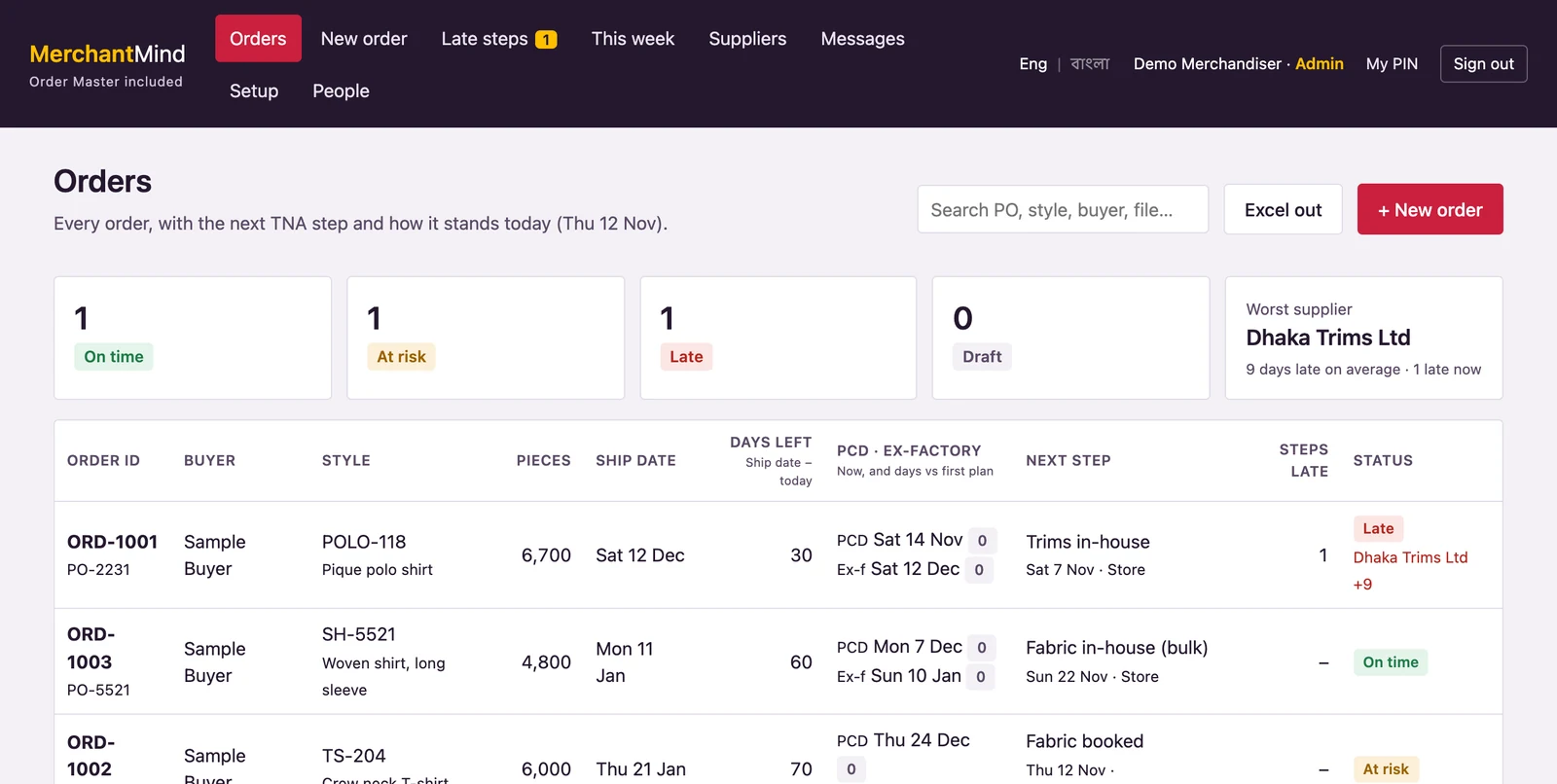
Sound familiar?
Ship dates slip one small step at a time.
✕The TNA lives in Excel
Ten copies, none up to date. Nobody sees the trims are late until cutting stops.
✕Chasing eats the day
Calls and WhatsApps to every supplier and every department, every morning, by hand.
✕Buyer changes get lost
A new quantity in one email, a new date in another. Which PO version is the real one?
Features
Everything a merchandiser tracks, in one place.
Simple, standard merchandising. No design tools, no costing maze. Just the order, the plan and the people who must deliver it.
AI reads the buyer PO
Drop in the PDF. Buyer, style, ship date, price and the colour × size quantities fill in by themselves. Yellow boxes show where each value came from.
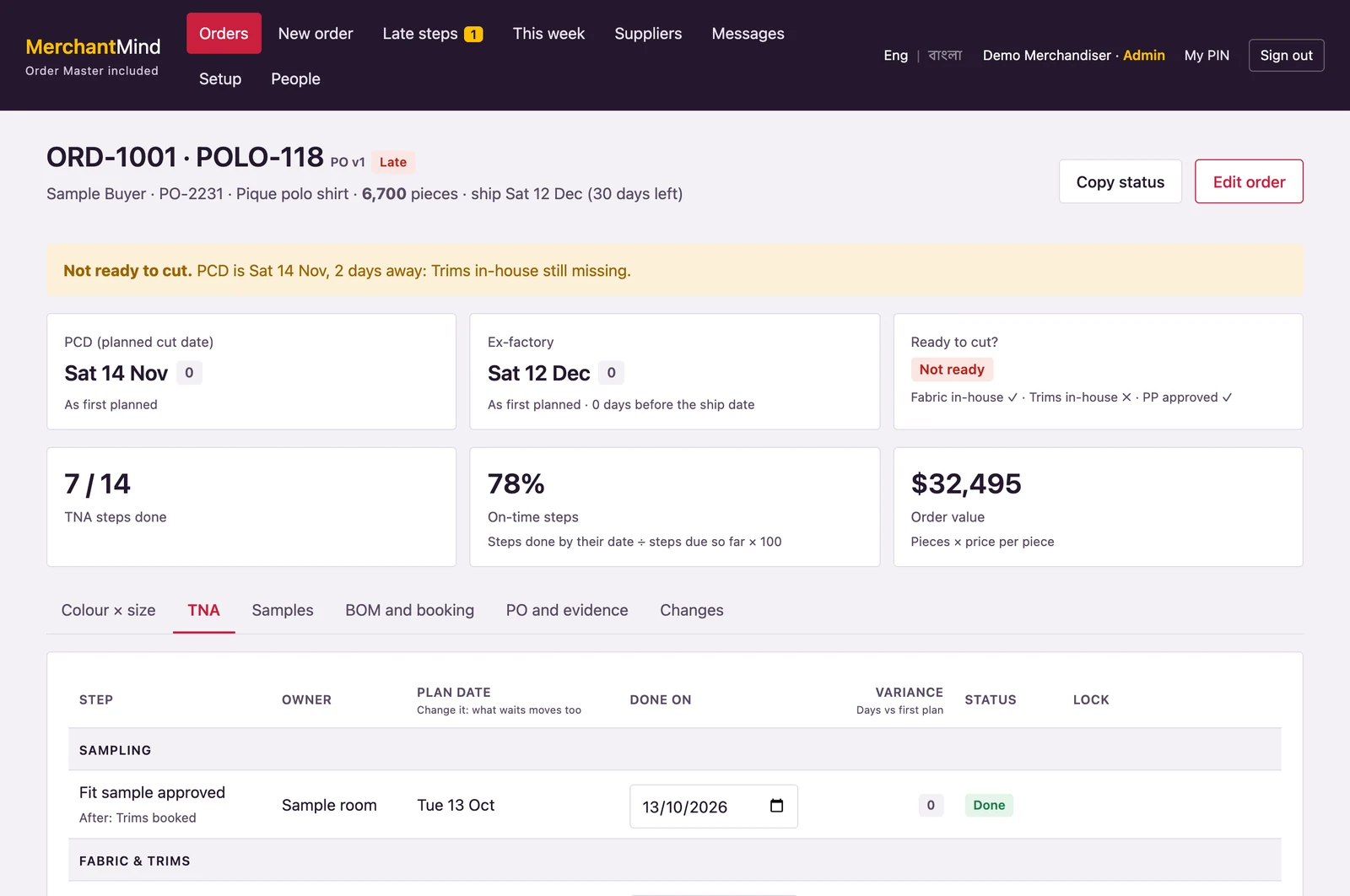
TNA from the ship date
Pick a plan for the buyer. Every step gets a date counted back from the ship date. Fridays and holidays are skipped.
Replan in one move
Change one date and every step that waits for it moves too. Locked dates stay where they are, and you see each step's days against the first plan.
Late-step chaser
Every morning at 08:00, step owners and suppliers get an SMS and an email. Still late? Their boss hears next. You get a morning brief.
SMS first, email tooSupplier score
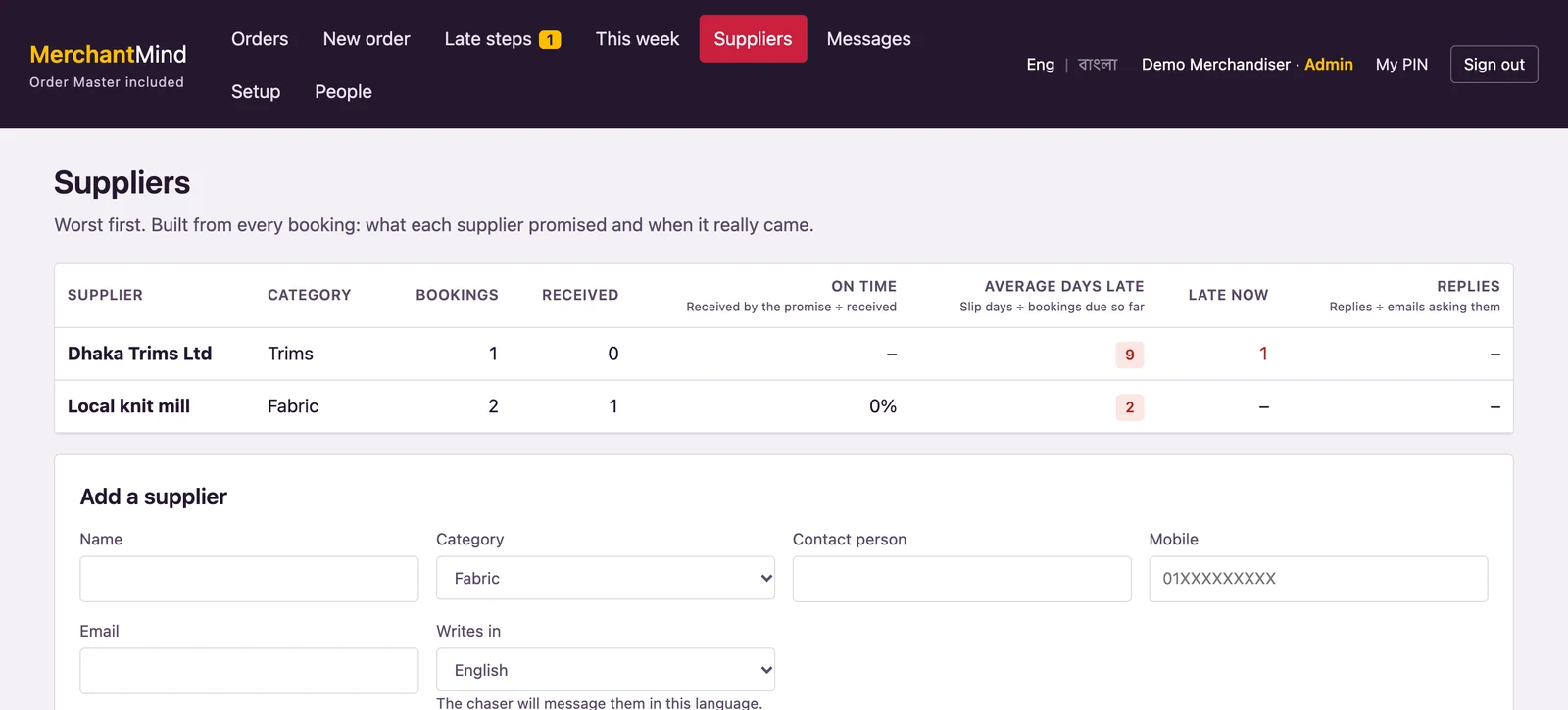
On-time %, average days late and reply rate for every supplier, worst first. Replies to the chase emails are read and dates updated.
Ready to cut?
Fabric in-house, trims in-house and PP approval are checked against the planned cut date. You see the gap days before, not on the day.
Samples, BOM and booking
Every sample with the buyer's comment. Fabric and trims per colour and size. A booking turns red when it arrives after the in-house date.
Every buyer change kept
Quantity, colour, price and date changes are logged: old → new, who and when. The PO version goes up by itself.
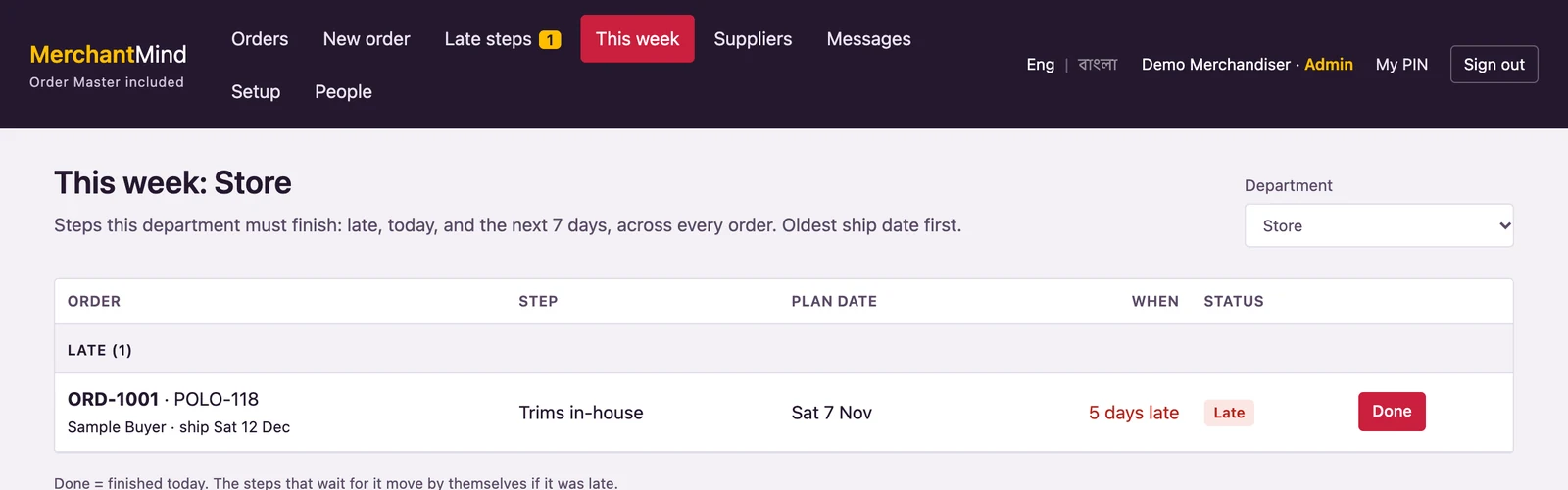
This week, by department
Store, sampling and cutting each see only their own steps: late, today and the next 7 days. One Done button, and what waits for it moves.
How it works
Three steps, then it chases for you.
Drop in the buyer's PO
The AI fills in the order and the colour × size grid. You check it and save. Or type it in; it takes two minutes.
The TNA builds itself
Each step gets an owner and a date, counted back from the ship date. Suppliers are attached to their bookings.
MerchantMind chases
Every morning it texts and emails whoever is late, reads the replies, and tells you what needs you today.
Screens
Clear enough to read on a busy floor.
No hidden maths
Every number shows how it is worked out.
The formula sits next to the number on screen, so anyone can check it.
Ship date − days set in the plan (Fridays and holidays skipped)Steps done by their date ÷ steps due so far × 100Order quantity × consumption per piece × (1 + wastage %)Days late on every booking ÷ bookings due so farPart of the RMG suite
Start with merchandising. Add the rest when you are ready.
Each module is sold on its own. They all share one Order ID, so an order keeps the same number from the buyer's PO to the bill of lading.
Available now
Coming next
Coming
Coming
Coming
Coming
See it with your own orders.
Send us one buyer PO. We will show you its TNA, its suppliers and its late steps in MerchantMind, in 20 minutes.